

Download Quick Translator – Free Windows Browser Translation Tool
Overview
Quick Translator is a lightweight, free browser‑extension style program designed exclusively for Windows XP and earlier versions. Developed by Igor Gladkov, this utility adds an on‑the‑fly translation layer to any web page you browse, allowing you to instantly convert foreign‑language content into clear, readable English. Since its first catalog entry in 2012, Quick Translator has amassed more than 25,000 downloads, with a steady trickle of new users each week—particularly in multilingual markets such as Vietnam, the United States, and Romania. The current version (0.9) was last updated on June 16 2012, but its core functionality remains robust, offering a secure, no‑frills solution for anyone who needs quick language assistance without the overhead of heavyweight translation suites.
Because the program is built as a simple Windows executable, it consumes minimal disk space and memory, making it an ideal choice for older machines that struggle with modern, resource‑intensive browsers. The user interface is intentionally plain: a small toolbar button appears next to your address bar, and a single click reveals a drop‑down menu where you can select the target language, view translation history, or access settings. While it only supports English as the output language, its speed and offline capability set it apart from cloud‑based competitors that require an internet connection for every request.
Key Features of Quick Translator
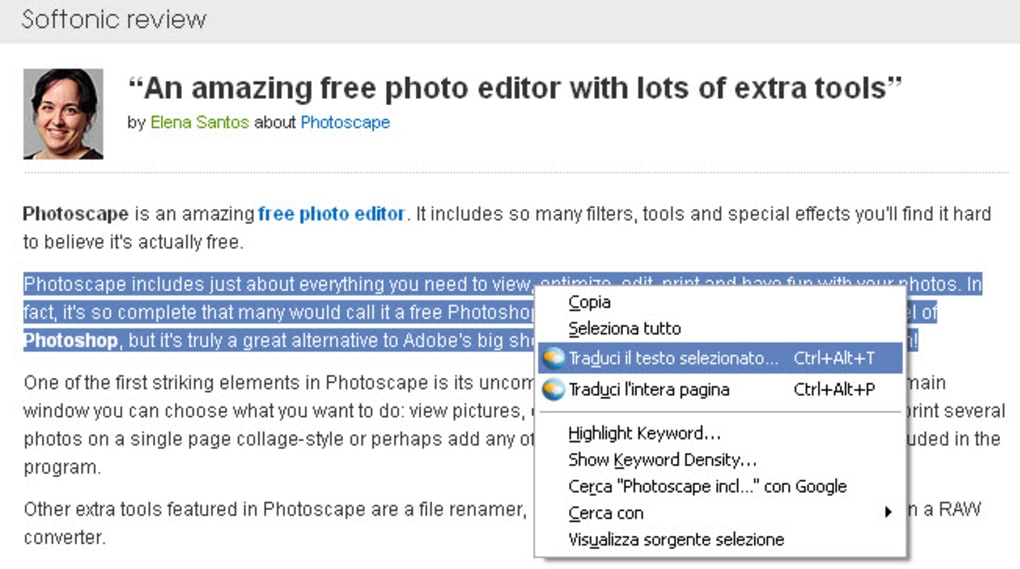
- Instant In‑Page Translation: Translate selected text or entire webpages with a single click, without leaving the browser.
- Lightweight Engine: The executable weighs under 5 MB, leaving ample space on legacy systems.
- Offline Capability: Works without an active internet connection after the initial language pack is installed.
- Simple Toolbar Integration: Adds a compact icon to the browser toolbar for easy access.
- Multi‑Language Source Support: Recognizes over 30 source languages, converting them all into English.
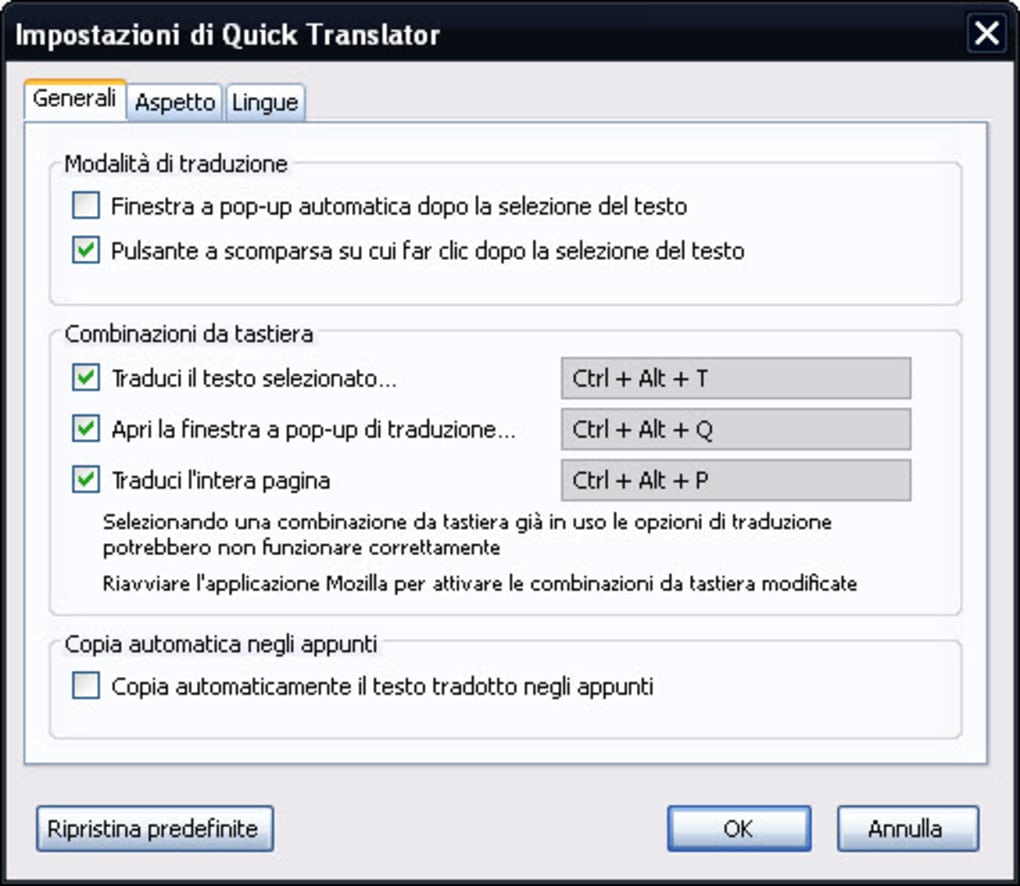
- Customizable Hotkeys: Users can assign keyboard shortcuts for faster translation workflow.
- History Log: Stores the last 20 translation entries for quick reference.
- Secure Processing: All translation happens locally; no data is sent to external servers, protecting user privacy.
- Free of Charge: Completely free to download and use, with no hidden fees or subscription models.
These features combine to deliver a reliable, user‑friendly experience that caters to students, researchers, and casual browsers alike. Because Quick Translator operates on the client side, it sidesteps the latency and privacy concerns often associated with web‑based translators. The offline mode is particularly valuable in regions with spotty internet connectivity, ensuring that translation remains accessible whenever it is needed.
Moreover, the program’s simple design means there is virtually no learning curve. Users can start translating within minutes of installation, and the modest feature set avoids overwhelming newcomers. For power users, the hotkey customization and history log provide the flexibility required for more intensive translation tasks, such as reviewing foreign‑language documents or extracting terminology for academic work.
Installation, Usage & Compatibility
Step‑by‑Step Installation Guide
Installing Quick Translator is straightforward, even for those who are not tech‑savvy. Follow these steps to get the tool up and running on a Windows XP or earlier machine:
- Download the installer from the official distribution page. The file is named
QuickTranslator_0.9.exe. - Locate the downloaded file in your Downloads folder and double‑click to launch the setup wizard.
- When prompted by Windows User Account Control, click Yes to allow the installer to make changes.
- Read the End‑User License Agreement (EULA), then click I Agree to proceed.
- Choose the destination folder (the default
C:\Program Files\Quick Translatorworks for most users) and click Next. - Select the browsers you wish to integrate with (Internet Explorer is the primary target for this version) and click Install.
- Wait for the files to copy—this typically takes less than a minute given the program’s small size.
- Once installation completes, click Finish. The Quick Translator icon will appear in the chosen browser’s toolbar.
How to Use Quick Translator Effectively
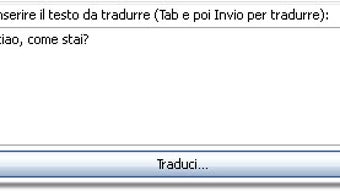
After installation, using the tool is as simple as selecting text and clicking the toolbar button. For full‑page translation, press the button without any text selected; the program will automatically scan the page’s language metadata and render an English version in place. The hotkey Ctrl+Shift+T (customizable via Settings) provides instant access without needing to reach for the mouse.
The Settings menu lets you adjust the translation engine’s cache size, toggle the history log, and manage the list of supported source languages. If you encounter a language that isn’t recognized, you can manually add its ISO code to the configuration file located at %APPDATA%\QuickTranslator\languages.cfg. Because all processing occurs locally, you’ll notice virtually no delay between request and result, even on older hardware.
Compatibility Details
Quick Translator is officially compatible with Windows XP, Windows 2000, and earlier Windows releases. The application has been tested on 32‑bit architectures and does not require .NET Framework or additional runtime libraries. While it may run on later versions of Windows, full compatibility is not guaranteed due to changes in browser extension APIs after Windows XP.
Because the tool is designed as a browser add‑on rather than a standalone app, its functionality is tied to the browsers that support ActiveX controls and COM interfaces—primarily Internet Explorer versions 6‑8. Users of modern browsers (Chrome, Edge, Firefox) will not see the toolbar integration, although the core translation engine can still be invoked via a separate executable if desired.
Pros and Cons
- Pros:
- Extremely low system resource usage.
- Works offline, protecting user privacy.
- Free with no hidden costs.
- Simple UI that’s easy for beginners.
- Supports a wide range of source languages.
- Cons:
- Only translates to English; no multi‑target language support.
- Limited to older browsers (Internet Explorer).
- No automatic updates after 2012; may lack newer language packs.
- Compatibility issues on Windows 7/10 and later.
- Missing cloud‑based features such as phrase suggestions.
Frequently Asked Questions
Is Quick Translator truly free or does it contain hidden fees?
Quick Translator is completely free to download and use. There are no subscription models, in‑app purchases, or hidden fees. The developer released it as an open‑source utility for personal and educational purposes.
Can I translate into languages other than English?
The current version only supports English as the output language. Source text can be in many languages, but the translation result will always be English. Users needing other target languages will need to look for alternative tools.
Does the software send my data to the internet?
No. All translation processing happens locally on your computer after the initial language packs are installed. This design ensures that your text never leaves your device, providing an extra layer of privacy.
Will Quick Translator work on Windows 10?
Officially, the program targets Windows XP and earlier. While some users have reported partial functionality on Windows 10, full compatibility is not guaranteed because the required browser extensions rely on legacy ActiveX technology that newer browsers no longer support.
How often is Quick Translator updated?
The last official update was released on June 16 2012 (version 0.9). Since then, the developer has not issued new versions, so the software does not receive regular updates or new language packs.
Conclusion & Call to Action
Quick Translator remains a solid, no‑cost solution for users of legacy Windows systems who need rapid, offline translation of foreign‑language web pages into English. Its minimal footprint, privacy‑first design, and straightforward interface make it a dependable companion for students, researchers, and anyone navigating multilingual content on older hardware. While the lack of multi‑target language support and the reliance on outdated browsers limit its appeal for modern environments, the tool still shines in niche scenarios where speed, security, and low resource consumption are paramount.
If you run Windows XP or an earlier version and frequently encounter non‑English websites, give Quick Translator a try. Downloading and installing the program takes just a few minutes, and you’ll instantly gain the ability to read foreign content without an internet connection or a paid subscription. Click the button below to start your free download and experience hassle‑free translation today.
Quick Translator delivers exactly what its name promises – a fast, free way to translate web pages on legacy Windows machines. Its offline processing and tiny installer make it a perfect fit for low‑spec PCs. While it lacks modern features like multi‑language output and cloud integration, its simplicity and privacy‑focused approach are refreshing in an era of data‑hungry services.
- Pros: Light, offline, free, privacy‑first.
- Cons: English‑only output, Windows XP‑only, no recent updates.







